
How Long Should a Survey Be? Evidence + Benchmarks
How long a survey should be by question type: completion-rate benchmarks, the 10-minute drop-off threshold, and when longer instruments are justified.
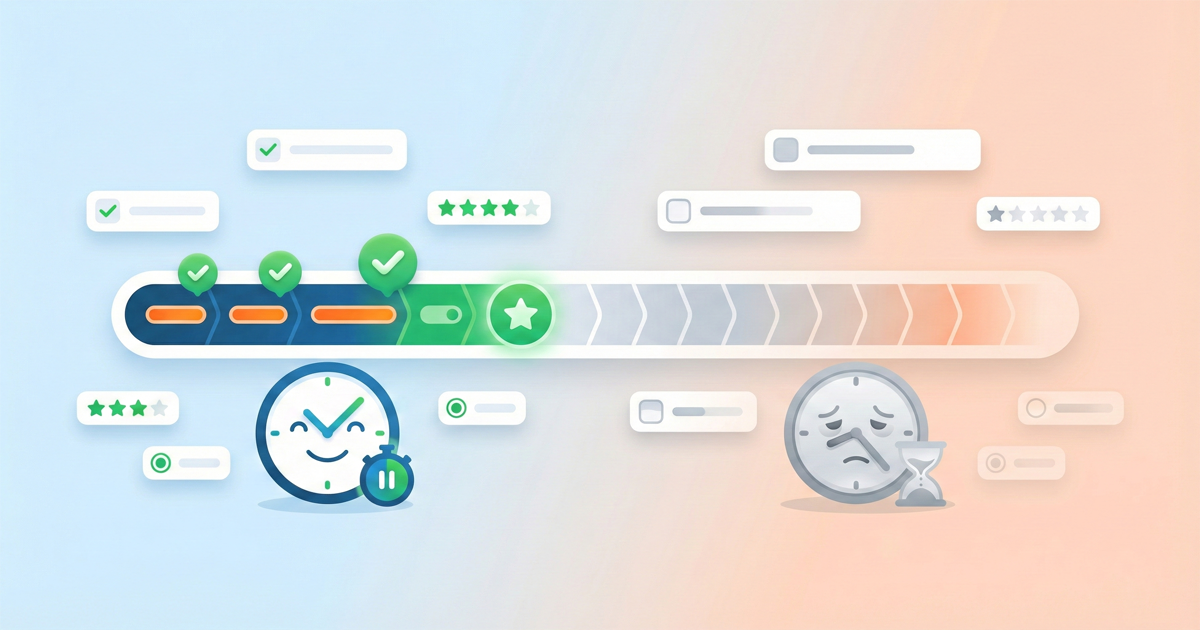
The short answer: As short as possible while still getting what you need. The real answer is more nuanced.
"How long should my survey be?" is the most common question in survey design. It's also the wrong question.
Survey length isn't primarily about question count. It's about cognitive load per respondent path. A 30-question survey with smart branching can feel shorter than a 15-question survey that asks everyone everything. A survey full of easy rating scales moves faster than one packed with open-ended questions.
The better question is: How much time and mental effort are you asking from each respondent?
The Numbers That Actually Matter
Research consistently shows these patterns:
| Survey Length | Typical Completion Rate | Drop-off Risk |
|---|---|---|
| Under 3 minutes | 85-95% | Minimal |
| 3-5 minutes | 75-85% | Low |
| 5-10 minutes | 60-75% | Moderate |
| 10-15 minutes | 45-60% | High |
| 15-20 minutes | 30-45% | Very high |
| Over 20 minutes | Below 30% | Severe |
But these numbers hide important context. A 10-minute survey about something respondents care deeply about will outperform a 5-minute survey on a topic they find irrelevant. We've seen engaged customer communities complete 20-minute surveys at 70%+ rates, while generic audiences abandon 5-minute surveys at 40%.
Context beats benchmarks.
Why Long Surveys Fail
Long surveys don't just have lower completion rates. They produce worse data from the people who do complete them.
Satisficing
When surveys feel too long, respondents shift from "optimizing" (giving thoughtful, accurate answers) to "satisficing" (giving acceptable answers just to finish). This manifests as:
- Straight-lining through matrix questions
- Selecting the first reasonable option
- Rushing through open-ended questions
- Random selection on items that require thought
The problem: satisficing doesn't show up as missing data. It shows up as data that looks fine but means nothing. You can't easily detect it, which makes it worse than dropout.
For more on this, see our guide to survey bias.
Fatigue Effects
Respondent attention declines predictably:
- Minutes 0-3: High engagement, thoughtful responses
- Minutes 3-7: Good engagement, some efficiency
- Minutes 7-12: Declining engagement, shortcuts begin
- Minutes 12+: Significant fatigue, data quality drops
This is why question order matters. Put your most important questions early. Put demographic questions last (they're easy and feel like progress).
Non-Response Bias
Long surveys don't just lose respondents randomly. They systematically lose:
- Busy people (often decision-makers)
- People with moderate opinions (strong opinion = motivation to finish)
- Mobile users (harder to complete long surveys on phones)
- People who value their time (often your most important segment)
The respondents who complete a 25-minute survey are not representative of those who started it. Your "complete" data is biased toward a specific type of respondent.
How to Think About Length
Instead of asking "how many questions," ask these:
1. What decisions will this data inform?
Every question should connect to a decision you'll actually make. If you can't explain what you'd do differently based on a question's answer, cut it.
We've reviewed surveys where 40% of questions were "nice to have" that never influenced any decision. That's 40% of your length adding zero value while costing completion rate.
2. What's the minimum viable survey?
Start with the smallest survey that could work. Add questions only when you can justify the completion rate cost.
Most surveys are too long because:
- Stakeholders add "while we're at it" questions
- Nobody removes questions from previous versions
- Researchers overestimate what they'll actually analyze
3. Who is answering, and how motivated are they?
| Audience Type | Realistic Length | Why |
|---|---|---|
| Paying customers giving feedback | 8-15 minutes | High motivation, invested |
| General population panel | 5-8 minutes | Low investment, getting paid |
| Employees (mandatory) | 10-20 minutes | Captive, but resentful if too long |
| Website visitors (intercept) | 1-3 minutes | Interrupting their task |
| Post-purchase feedback | 2-5 minutes | Fresh experience, moderate motivation |
Match length to motivation. Don't assume everyone will give you 15 minutes just because you want the data.
Length Isn't About Question Count
A survey with 20 simple rating questions takes less time and effort than one with 8 complex questions. Consider:
| Question Type | Cognitive Load | Time per Question |
|---|---|---|
| Single choice (3-5 options) | Low | 5-10 seconds |
| Rating scale (1-5, 1-7) | Low | 5-10 seconds |
| Multiple choice (select all) | Medium | 15-30 seconds |
| Ranking questions | High | 30-60 seconds |
| Open-ended (short) | High | 30-90 seconds |
| Open-ended (detailed) | Very high | 2-5 minutes |
| Matrix questions | Medium-high | 10-20 sec per row |
A 15-question survey with 3 open-ended questions and 2 ranking tasks might take longer than a 25-question survey of simple rating scales.
Measure in minutes, not questions.
The Branching Logic Advantage
Here's where survey design gets interesting: with branching logic, different respondents see different questions based on their answers.
A survey with 40 total questions might show any individual respondent only 15-20. The survey is "long" in structure but short in experience.
This is where Lensym's approach matters. Length isn't about your question count—it's about cognitive load per path. A well-designed branching survey can:
- Ask follow-ups only when relevant
- Skip entire sections that don't apply
- Reduce perceived length by 30-50%
- Maintain data completeness
The catch: branching adds complexity. Every path needs testing. Simple surveys often work better than clever ones. Use branching when it genuinely improves respondent experience, not just to squeeze in more questions.
Quick Guidelines
Aim for these targets:
- Customer feedback: 5-8 minutes
- Employee surveys: 10-15 minutes
- Market research: 8-12 minutes
- Academic research: 15-20 minutes (with strong motivation)
- Website intercepts: 1-3 minutes
- Post-transaction: 2-4 minutes
Red flags your survey is too long:
- Completion rate below 40%
- Sharp drop-off after minute 8-10
- High straight-lining in later sections
- "Too long" appearing in open-ended feedback
- Mobile completion rates significantly lower than desktop
How to shorten:
- Cut "nice to have" questions — if you won't act on it, don't ask it
- Combine similar questions — three satisfaction questions might become one
- Use branching — skip irrelevant sections entirely
- Move demographics last — they're easy, so save them for when fatigue sets in
- Kill matrix questions — they look efficient but feel endless
The Real Answer
How long should your survey be?
Short enough that respondents don't resent you. Long enough that you get actionable data.
That's usually 5-10 minutes for most use cases. But the specific number matters less than these principles:
- Every question must justify its existence
- Length is measured in minutes and cognitive load, not question count
- Branching logic can dramatically reduce perceived length
- The respondents who drop out aren't random—your "complete" data is already biased
Before you launch, take your own survey. Time it. If you get bored, so will your respondents.
Building surveys that respect respondent time?
Lensym's visual editor makes it easy to design branching logic that reduces survey length without sacrificing data quality.
About the Author
The Lensym Team builds survey tools for people who care about both data quality and respondent experience. We believe shorter surveys usually produce better data.
On this page
Continue Reading
More articles you might find interesting
Acquiescence Bias: What It Is, Examples & How to Reduce
Acquiescence bias is the tendency to agree regardless of content. Real survey examples, why it happens, and the methods that reliably reduce it.

Anonymous Surveys and GDPR: What Researchers Must Document
GDPR's definition of anonymity is strict. Requirements for true anonymization, when pseudonymization suffices, and documentation obligations for each.
Central Tendency Bias: What It Is, Examples & How to Prevent
Central tendency bias is when respondents cluster on middle scale options. Examples, why it happens on Likert scales, and how to prevent it.