
Review your survey
Test the survey people will actually answer.
Use Preview to move through your questionnaire as a respondent: answer questions, follow branches and see piping resolve. Then review publication checks before opening the survey for real responses.
Preview and publication checks are available on every plan. Publishing a survey requires a plan that includes the features it uses. Compare plans
The respondent experience
Answer the questions, follow branches and see piping resolve in Preview. Review what a person encounters, alongside the configuration in the editor.
Temporary test answers
Preview creates no stored responses and does not add answers to analytics or exports. Repeat different routes without mixing test submissions into collected data.
Checks before publication
Publication validation identifies configuration issues such as broken references and incomplete rules. It gives the team specific problems to resolve before collection.
Interactive example
Try required answers and a change of route
Try continuing without an answer, then choose product or employee feedback. Follow the selected path, go Back to change your choice, or reset the sample survey for a fresh run.
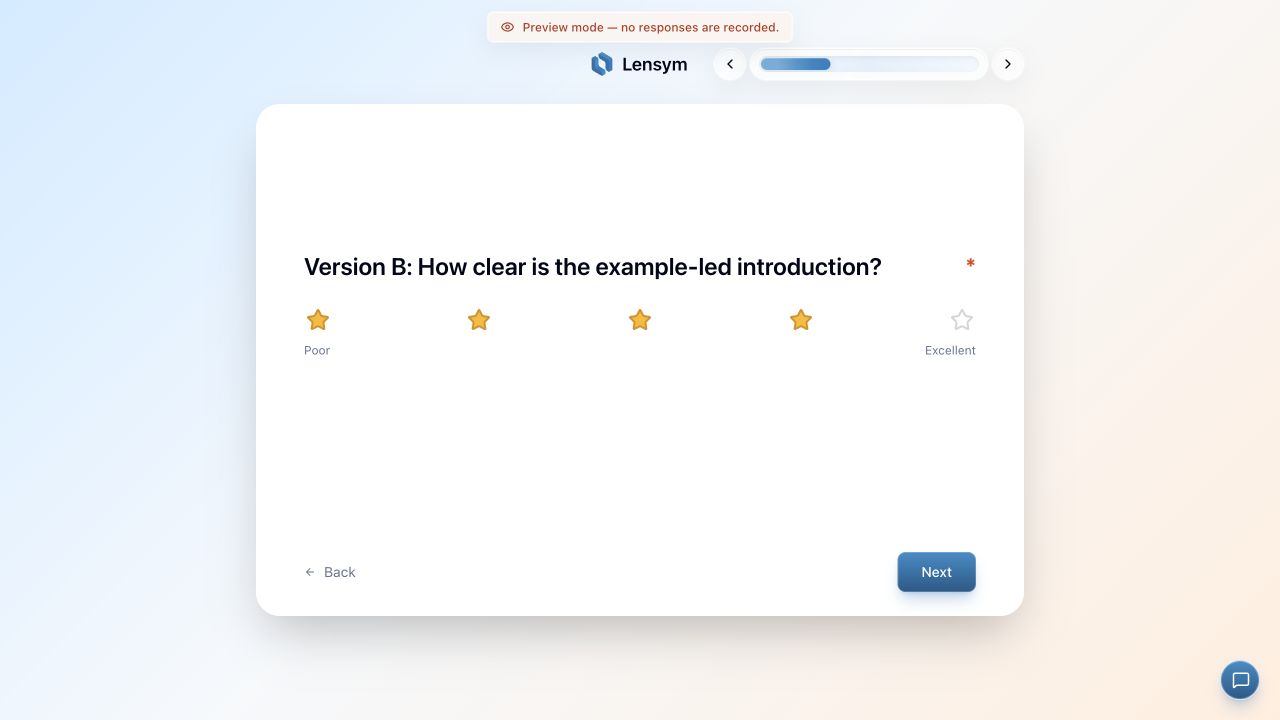
A working experience beyond the editor
The editor shows how a survey is configured. Preview shows what that configuration becomes for a respondent: the introduction, the question sequence, the wording produced by piping and the route selected by an answer. Seeing those elements together gives a different perspective on the draft.
Preview runs use temporary answers and do not create stored response records. You can complete one route, start over and try another without adding test submissions to analytics. That makes it a useful part of development and review, before the survey link is used for real collection.
Room to examine the less obvious cases
The first complete run often follows the route the author knows best. Other answers reveal more: a skipped optional input, a value at a numeric limit or a changed answer after going Back. These cases matter when the next question depends on what came before.
Lensym lets reviewers try those alternatives within the respondent flow. A branch can be followed from both sides, a required question can be left empty and a piped sentence can be read without its expected source. The result is a concrete basis for revising wording, settings or routes.
- Check every intended route through to its ending.
- Read piped wording when its source is blank or bypassed.
- Try long answers and a narrow screen.
- Repeat affected checks after changing question order or rules.
Illustrative pre-launch workflow
Review a feedback survey before sharing it with participants
A workshop team has finished a draft with an attendance decision, required ratings and a shared final question. The editor looks complete, but the team still needs to experience what attendees and non-attendees will actually see.
One colleague tests the expected routes while another tries missing answers and changed choices. They use Preview for these checks and keep a short record of the answers used. The aim is a repeatable review of the questionnaire’s behaviour, alongside a separate discussion of whether its wording and measures fit the evaluation.
Experience the intended paths
An attendee reaches the rating questions; a non-attendee reaches the shared follow-up without them. Both runs continue to the ending, so the team reviews the complete experience rather than isolated screens.
Try the alternatives
The reviewer leaves a required answer empty, changes an earlier response and checks any piped wording. Boundary values and absent optional inputs are included where the survey depends on them.
Resolve and repeat
The team revises the draft, checks publication issues and repeats the affected routes. A separate controlled live check can cover saving and downloads, which Preview does not establish.
Configuration checks with a specific purpose
Before publication, Lensym validates the survey and identifies configuration issues that need attention. Incomplete conditions, missing destinations, unsuitable references, invalid numeric settings and features outside the selected plan can be addressed before the questionnaire is opened to respondents.
These checks complement a human review. A reference can exist while its wording is confusing, and an accepted condition can still express the wrong eligibility criterion. Validation provides evidence about the configuration; Preview provides an experience to examine; the research team decides whether the instrument fits its purpose.
A clear point between development and collection
Published questions are locked, giving the draft stage a clear role: it is where wording, routes and calculations are reviewed. A colleague can take the survey without the author explaining each screen, and the team can repeat the affected checks after a revision.
Preview does not establish live response saving, export contents or the distribution of published Split assignments. Those need appropriate collection checks. It also does not establish the validity of a research measure. Its value is specific: making the respondent flow available for examination before the study moves into collection.
Common questions
- Do preview runs affect my survey results?
- No. They do not create stored responses. Balanced Split previews also use temporary counts separate from the published survey, so they do not measure live assignment totals.
- Can I pause a survey to edit its questions?
- Pausing stops collection but does not unlock editing. Changing a published questionnaire requires the archive-and-restore workflow, which retires its existing survey link. Review the publishing documentation first.
Ready to set it up?
The documentation covers the controls, settings and worked examples.
See the questionnaire from the other side before sharing it.
Run an expected route, try a different answer and review the ending. Preview is available on every plan, with publication checks to support the final configuration review.
Related features
Conditional survey logic
Give respondents a relevant path through your survey, using conditions based on their answers.
Answer piping and expressions
Reuse earlier answers in later questions, or calculate values from them without asking respondents to repeat information.
Survey randomization
Assign respondents to experimental conditions with weighted Split paths and random or balanced allocation.