
Conditional logic
Conditional logic
Send people down different paths depending on how they answer.
Conditional logic decides where someone goes next based on what they have already answered — skip questions that do not apply, or jump to a different branch entirely.
What a rule is
A rule has three parts:
- Conditions — what must be true, e.g. "How satisfied are you" is less than 3.
- An action — Go To or Skip, or Split.
- A destination — the node to jump to or skip, or the weighted paths in a Split.
Rules live on a node. When someone answers that question, Lensym checks its rules in order; the first matching Go To or Split chooses the next destination. Skip marks a target to leave out and evaluation continues. If no rule chooses a destination, they follow the normal path with skips applied.
Adding a rule
Two ways, same result:
- Select a node, open the Advanced tab, and select Add condition.
- In the graph editor, drag from the node's branch handle.
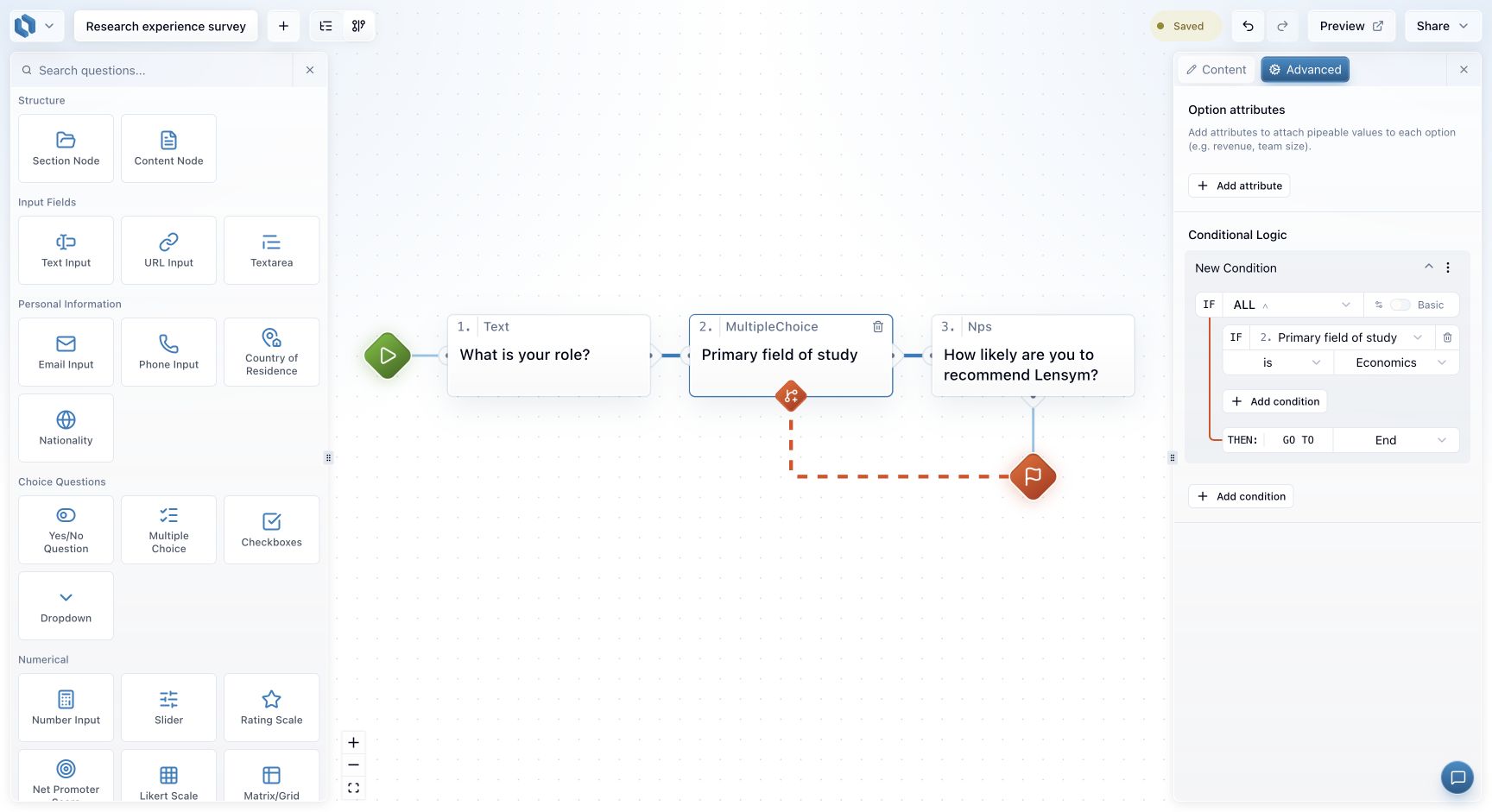
What you can reference
A condition can reference the current question or an earlier question. Rules are checked after the current question is answered. Later questions are not available, because they have not been answered yet.
Combining conditions
Add more than one condition and you choose how they combine:
- ALL — every condition must be true.
- ANY — at least one must be true.
Expert mode adds four more operators and lets you nest groups.
Before you publish
Lensym validates every rule before publishing and lists what needs fixing — an empty condition, a target that no longer exists, or a rule that needs a higher plan. See why my logic will not publish.
For a worked example, see build and test a branching flow.