
Preview and publishing
Publishing and survey status
How to publish, what each status means, and why a published survey cannot be edited.
Publishing turns a draft into a live survey with a shareable link.
- Open Share in the editor header.
- Select the Publish tab.
- Review the survey summary, then choose Publish to continue the publication flow.
Publishing
Select Share → Publish. Before it publishes, Lensym checks the survey and lists anything blocking it — an incomplete rule, a broken pipe, or a feature your plan does not include. Fix those and the button enables. Select Publish, then confirm Publish Survey?.
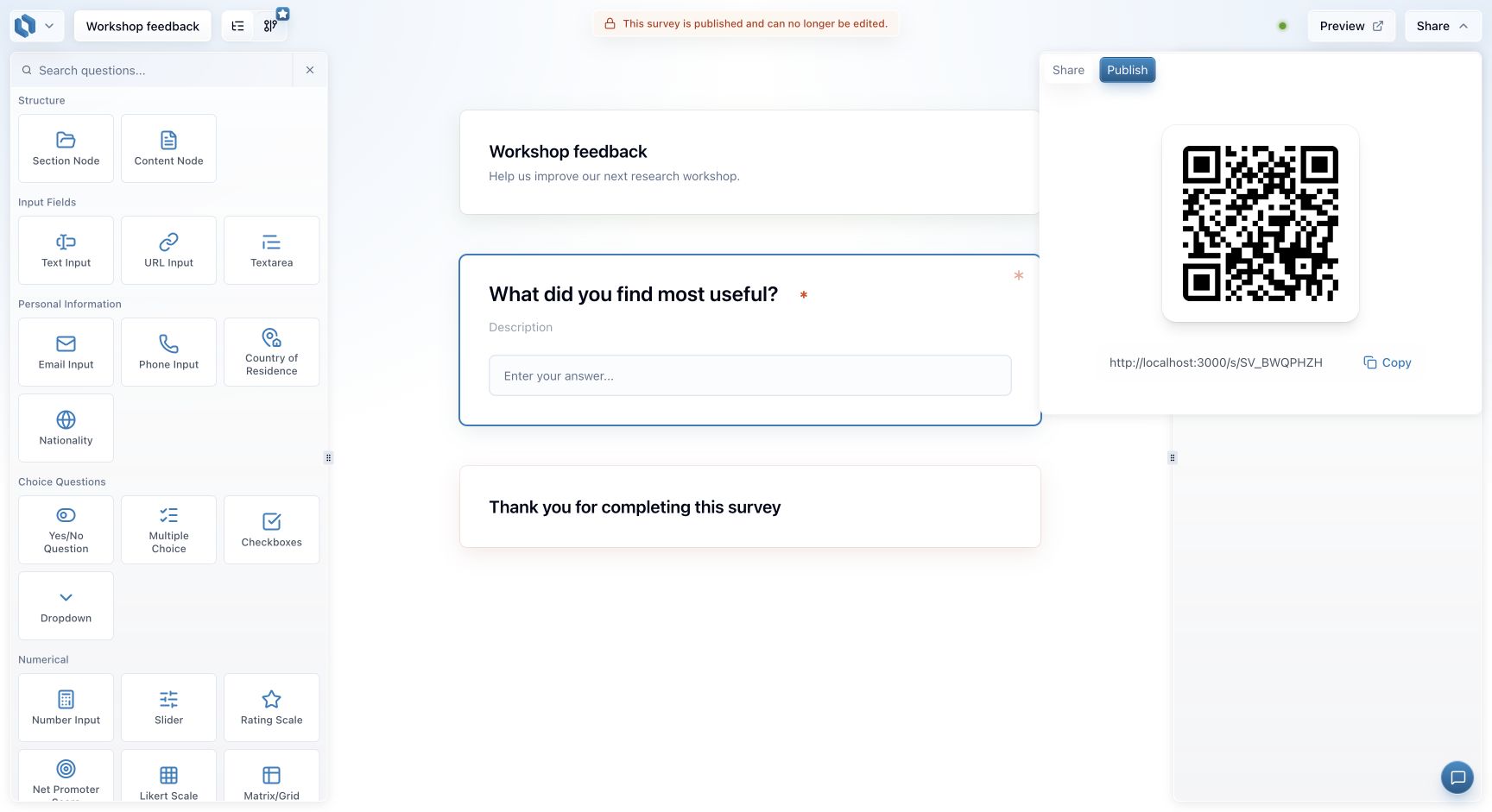
You get a link like survey.lensym.com/SV_XXXXXXX, and a QR code you can download as a PNG for
print.
Survey statuses
| Status | Accepting responses | Editable |
|---|---|---|
| Draft | No | Yes |
| Published | Yes | No |
| Paused | No | No |
| Archived | No | No |
| Completed (existing surveys) | No | No |
Some existing surveys have a Completed status. It is read-only; use the available archive and restore actions if you need to return one to a draft.
A published survey cannot be edited
This is the most important thing to know before you publish. Once live, the questions are frozen — so that everyone who responds answers the same survey, and your data stays comparable.
Changing a live survey
Pausing stops new responses and keeps the same link, so you can resume later and every link and QR code you have handed out still works. Use it to take a survey offline temporarily.
To change the questions you have to archive the survey and restore it to a draft. Archiving permanently retires the link: re-publishing creates a new one, and the old link stays dead.
Archiving cannot be undone for links
Anything already printed, emailed or posted stops working the moment you archive. If people are still responding, pause instead.
Your responses are never deleted by any of this — they stay available in analytics.
When collection stops
A published survey stops accepting responses when you pause or archive it, or when your account reaches its monthly response limit. Respondents see a short "this survey is closed" page.
Get it right in preview
Because publishing is a one-way door for edits, preview is where you test — including every branch of your conditional logic.