
Analytics
Analytics
Read your results — summary, per-question analysis, and individual responses.
Analytics has three views: Overview for survey-level numbers, Questions for per-question analysis, and Responses for individual submissions.
Analytics is included on every plan
The analytics views are available on every plan. Export formats depend on your plan.
The overview shows responses started, completed responses, completion rate and completion time. Its response-status bar includes completed, in-progress and abandoned sessions.
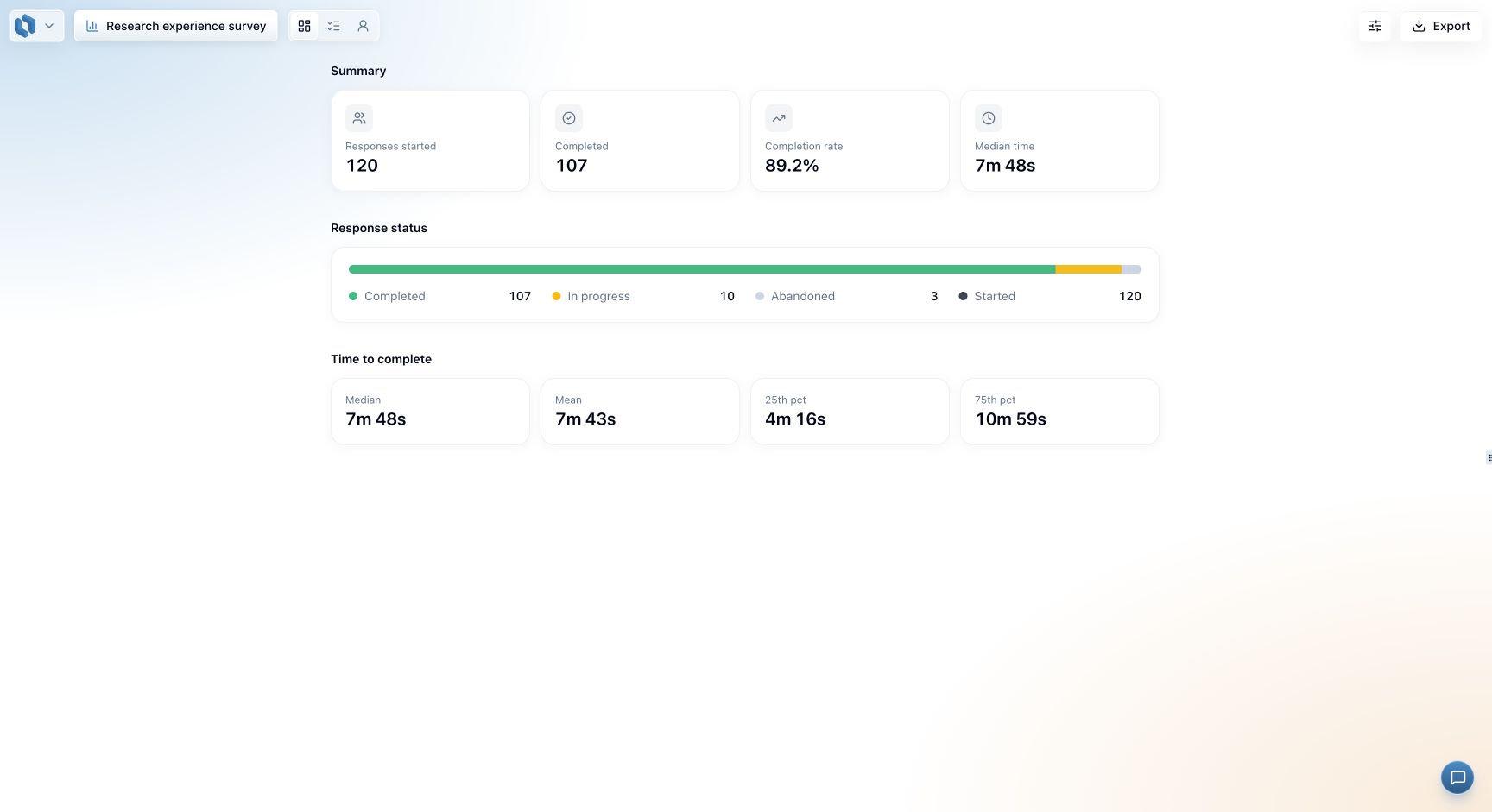
Use Questions for results by question and Responses to inspect individual submissions. The overview includes unfinished sessions; question analysis defaults to completed responses. See filtering before comparing totals across views.
Read collection progress in order
Start with how many sessions began, then how many reached the end. Completion rate relates those counts; it is not the percentage who answered each individual question. A completed respondent may still have left optional questions blank or bypassed questions through branching.
In the example above, 107 of 120 sessions completed: about 89.2%. The other 13 have not all necessarily abandoned the survey; check the status breakdown before interpreting them. Someone may still be working through an in-progress session.
Next, look at completion time alongside the survey's routes. A screened-out respondent can reach End quickly, while someone seeing the full questionnaire takes longer. A short time alone does not prove a response is invalid. Read the relevant submission when a result needs investigation.
Choose the next view
| Question you have | Where to look |
|---|---|
| Are people getting through the survey? | Overview and its status breakdown |
| Which workshop topic was most useful? | Questions, then the topic question |
| Why is one answer surprising or missing? | Responses, then that submission |
| How can I calculate a separate score? | Export the completed dataset |
Use the same period and response population when comparing results. Overview uses start dates, while Questions and Export use completion dates. A date boundary can therefore change the counts without any response being lost. See filtering for a worked example.