
Piping
Personalize wording with piping
Use names, conditional sentences and fallback text in a later screen.
Piping can do more than repeat an answer. It can choose wording from a score or use a friendly fallback when an optional answer was left blank.
Start with a name
Ask an optional name question, then insert it into a later title. This interactive example uses
name as its example ID; the field editor inserts your actual question reference.
Respondent sees
Thank you, Alice.
Clear the name to see the fallback. The || operator also treats zero and false as missing for this
purpose, so do not use it blindly for numeric or Yes/No answers.
Choose a sentence from an answer
A conditional expression has three parts: a test, the text when it matches, and the alternative. Put literal wording in quotes:
{{e: v:score >= 9 ? "We are glad you would recommend us." : "Thank you for helping us improve." }}For a workshop summary, the test can use an average instead:
{{e: avg(v:clarity, v:usefulness) >= 4 ? "We are glad the workshop helped." : "Thank you for helping us improve." }}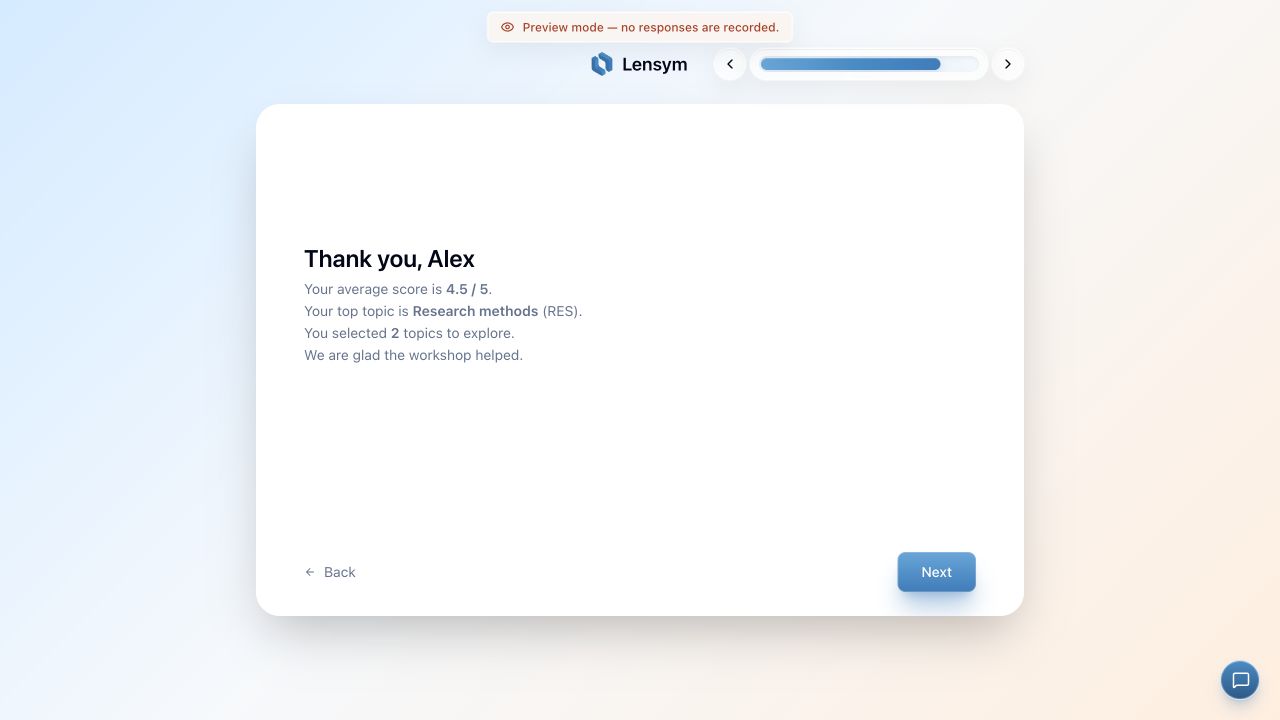
Check the whole sentence
Preview the values just below, at and above your threshold. Also try long names, missing answers, and a branch that skips the source question. Check punctuation and spacing around the inserted value.
A calculated sentence changes what respondents read. To change which question they see next, add a branching rule as well.
Advanced piping
EssentialAdd calculated expressions and pipe values into numeric fields.
Compare plans