
Getting started
Your dashboard
Find, open, pause and archive surveys from Studio.
The dashboard is your starting point in Lensym Studio. Each survey card lets you open the survey and see its status. Use the search field to find the one you need.
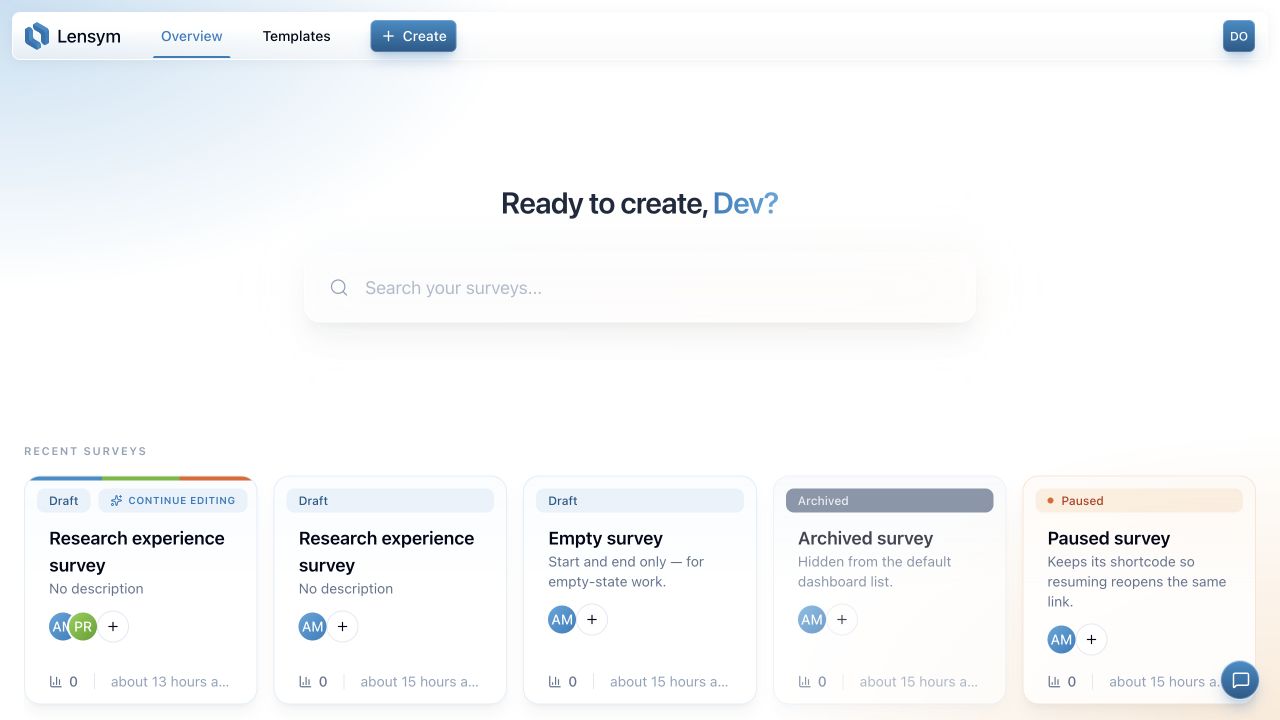
Open or create a survey
Select Create in the header or New survey in the survey list to enter a title and optional description. Open an existing survey to continue editing; published surveys open read-only. The card's menu also provides Edit and Analytics.
Templates
The Templates tab currently shows a preview of the upcoming template library. Start a new survey from Create to build your own.
Manage collection
| Action | Result |
|---|---|
| Pause | Stops collection on a published survey while keeping its link. |
| Resume | Reopens a paused survey on the same link. |
| Archive | Keeps the survey and data, but retires a live share link. |
| Restore to drafts | Makes an archived survey a draft again; publishing creates a new link. |
| Delete | Permanently removes the survey after confirmation. |
Delete asks you to type the survey title. Choose Archive when you need to keep the data rather than remove it permanently. Permissions still depend on your role.
See survey status for the complete lifecycle.